
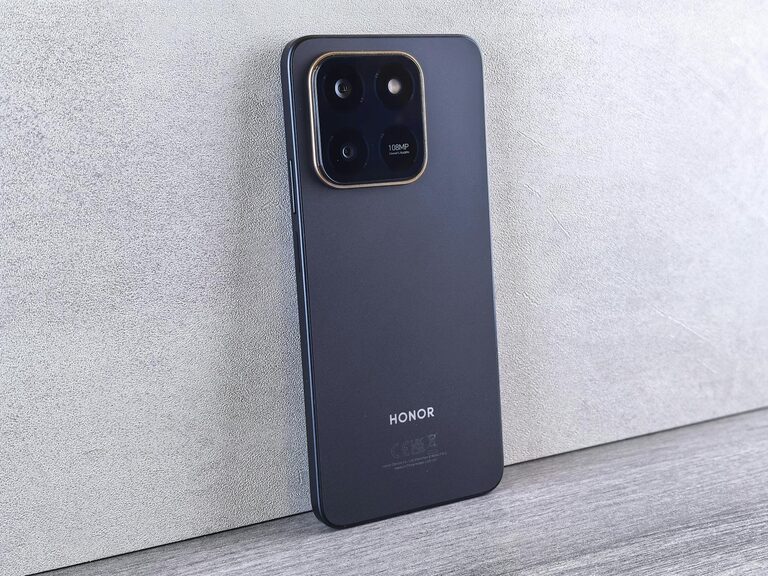
Beginner Tips for Taking Better Phone Photos
Taking great photos with your phone is easier than you might think. Whether you’re snapping memories of family, friends, or beautiful places, a few simple adjustments can make your pictures stand out. In this post, we’ll explore beginner-friendly tips that will help you take better phone photos without needing fancy equipment or advanced skills.
Understand Your Phone’s Camera Features
Before diving into photography techniques, take some time to explore what your phone’s camera can do. Most modern smartphones have several modes such as portrait, panorama, night mode, and even manual controls.
– Explore camera settings: Check options for resolution, gridlines, HDR, and flash.
– Use the grid: Turning on gridlines helps apply the “rule of thirds,” a classic photography guideline to create balanced compositions.
– Try different shooting modes: Experiment with portrait mode for blurred backgrounds or night mode for low-light conditions.
Knowing your camera’s features helps you make the most of your phone’s capabilities.
Focus on Lighting
Good lighting can dramatically improve your photos. Here’s what you should keep in mind:
– Use natural light when possible: Outdoor lighting or window light is soft and flattering.
– Avoid harsh midday sun: Midday sun can cause harsh shadows and squinting. Early morning or late afternoon light (golden hour) is more gentle and warm.
– Don’t rely too much on flash: The phone’s built-in flash can cause unnatural colors and harsh shadows. Instead, try increasing brightness by moving closer to the light source.
– Experiment with backlighting: Placing the light source behind your subject can create interesting silhouettes or glowing effects.
Good lighting sets the foundation for clear, attractive images.
Keep Your Phone Steady
Blurry photos are often a result of camera shake. Here are some tips for steady shots:
– Use both hands: Hold your phone with both hands and keep your elbows close to your body.
– Lean against a stable surface: When possible, rest your hands or phone on a table or wall.
– Try a tripod or stand: Using an inexpensive tripod can help stabilize your phone, especially for night or low-light photography.
– Avoid moving while shooting: Wait until your subject is still or consider using burst mode if capturing movement.
Steady photos are sharper and look more professional.
Compose Your Shots Thoughtfully
Composition is about arranging visual elements in a frame to create a pleasing or impactful image.
– Apply the rule of thirds: Imagine your frame divided into a grid of 3×3. Place key subjects along these lines or intersections for balanced shots.
– Look for leading lines: Paths, fences, or natural lines guide the viewer’s eyes through the photo.
– Frame your subject: Use objects such as doorways or tree branches to frame your subject and add depth.
– Simplify the scene: Avoid cluttered backgrounds that distract from your main subject.
Taking a moment to compose your photo makes your images more engaging.
Focus and Exposure Control
Phones automatically choose focus and exposure, but you can often adjust these manually:
– Tap to focus: Tap the screen on the main subject to ensure it’s sharp.
– Adjust exposure: After tapping to focus, slide your finger up or down (or use a brightness icon) to brighten or darken the photo.
– Lock focus and exposure: Many phones allow you to lock focus and exposure settings to maintain consistency between shots.
Controlling focus and exposure helps you capture the photo exactly as you want.
Experiment with Angles and Perspectives
Trying different angles can turn a simple subject into an interesting photo.
– Shoot from low angles: Crouch or lie down to capture a fresh perspective.
– Try overhead shots: Shooting down on your subject can showcase patterns and symmetry.
– Move around your subject: Walk around to find interesting backgrounds or eliminate distractions.
– Get close: Phone cameras usually have wide-angle lenses, so getting close can emphasize details and reduce background clutter.
Creativity with angles often leads to more unique and eye-catching photos.
Edit Your Photos Sparingly
Editing enhances your photos but doesn’t need to be complicated.
– Use built-in editors: Most phones include simple editing tools for cropping, adjusting brightness, contrast, and color.
– Try free apps: Apps like Snapseed, Lightroom Mobile, or VSCO offer easy options for enhancing photos.
– Avoid over-editing: Natural looking photos often have more appeal than ones with heavy filters or saturated colors.
– Crop thoughtfully: Cropping can improve composition or remove distractions.
A little editing can polish your photos and make them more memorable.
Practice Regularly and Have Fun
Photography improves with practice. Take your phone with you daily and challenge yourself with different subjects, lighting conditions, and compositions.
– Take multiple shots: Don’t be afraid to shoot several photos and choose the best later.
– Review and learn: Look back at your photos to see what worked and what didn’t.
– Follow inspiration: Browse photo-sharing sites or social media for ideas.
– Enjoy the process: The more you enjoy taking photos, the more natural and creative your shots will become.
With patience and practice, your phone photography skills will grow quickly.
—
Taking better phone photos doesn’t require expensive gear—just a few mindful approaches and practice. Start experimenting with these tips today, and you’ll be surprised at the beautiful photos you can capture! Happy snapping!
